Wegovy Pill Tracker: Daily Doses, Meals and Weight
Track daily Wegovy pills, meals, protein, water, symptoms and weight with GlucoPal for iPhone or Android. See how to build a useful daily record.

By GlucoPal TeamReviewed 5 min read
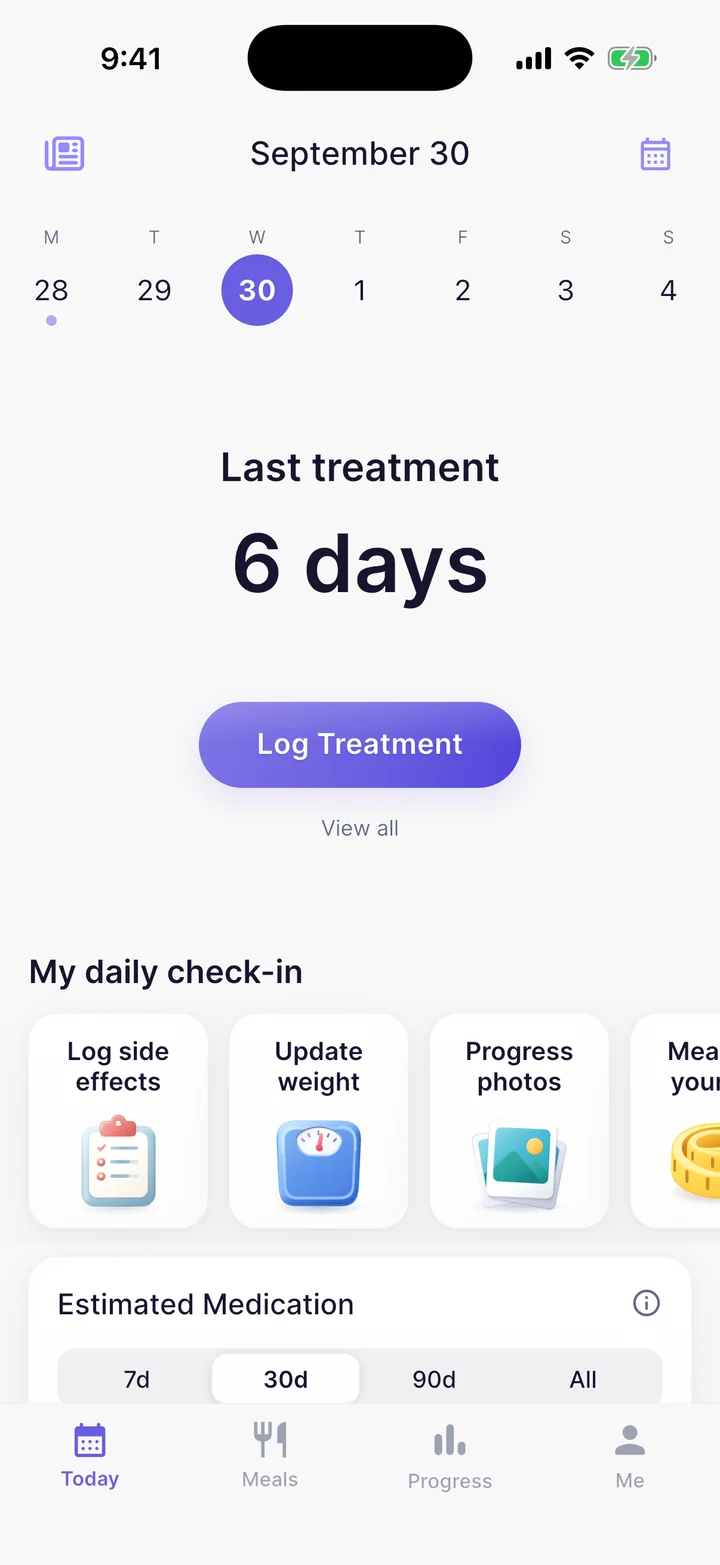
GlucoPal is a Wegovy pill tracker for iPhone and Android that combines daily oral semaglutide dose logs and reminders with meals, protein, water, symptoms and weight. Choose it if you want your medication record and food diary in one app, with no account required.
The GlucoPal App Store listing confirms Wegovy pill support. GlucoPal is free to download and use, with optional Pro features. This guide explains the daily routine; our Wegovy tracker app comparison covers other app choices.
How do you track daily Wegovy pills with GlucoPal?
Set up Wegovy as a daily pill, record each dose after taking it, and add food, water and symptoms during the day. GlucoPal keeps those records alongside your weight trend, so you can return to the details of a particular day when preparing for an appointment.
1. Match your medication and reminder to your prescription
Choose Wegovy in the pill options and enter the prescribed strength. GlucoPal supports the oral tablet strengths of 1.5, 4, 9 and 25 mg, with daily scheduling and reminders. Update the strength when your prescriber changes it; the available options are for recording your treatment.
2. Log the tablet after you take it
Record the dose and time you took it. A scheduled reminder and a completed dose entry mean different things: one is a prompt, the other is your record of what happened. If you are unsure whether you took a tablet, ask your pharmacist or prescriber rather than relying on a notification as proof.
Wegovy pill timing: Novo Nordisk's prescribing information says to take the tablet on an empty stomach in the morning with plain water, up to 4 ounces, then wait at least 30 minutes before food, drinks or other oral medicines. Swallow it whole. Use a separate phone timer for the waiting period and follow your prescription instructions.
3. Record meals, protein and water
When it is time to eat, photograph a meal for an AI nutrition estimate or search GlucoPal's food database. Review the food and serving size before saving. The meal stays in your history, while its nutrition contributes to your logged totals.
This gives you the food entries behind your protein and calorie totals. Water tracking belongs in the same daily routine. Use the nutrition goals agreed with your care team, and check estimates against what you actually ate. See how GlucoPal combines meal and medication tracking.
4. Add symptoms and review your weight trend
Log side effects and add useful detail in Notes, such as when a symptom started, how strong it felt and how long it lasted. Review these entries alongside the dose history. A note about nausea after breakfast is useful context for a conversation; it cannot establish that breakfast or the medication caused it.
Keep weight entries and progress photos over time. Looking back across several entries gives you more context than one weigh-in. For examples of useful symptom notes, see our GLP-1 side-effect tracking guide.
What does a useful daily Wegovy pill record look like?
A useful record connects the medication entry with the meals, symptoms and progress you choose to log. You do not need a long diary. The fictional example below shows separate entries you could review together; it is not an app screenshot or a recommended treatment schedule.
| Record | Example entry | What it helps you revisit |
|---|---|---|
| Pill | Monday, 7:10 a.m.; prescribed strength | The dose and time you recorded |
| Meal | Breakfast at 7:45 a.m.; yogurt and fruit, serving checked | The food behind your nutrition totals |
| Water | A glass logged with lunch | Your recorded water intake that day |
| Symptom | Nausea; Notes: mild, after breakfast, lasted an hour | Timing and detail to discuss if it recurs |
| Progress | Weight entry or dated progress photo | Changes across your recorded history |
What if you miss a Wegovy pill?
The Wegovy tablet label says to skip a missed dose and take the next dose the following day. Keep a note of the missed day so the gap in your history is understandable. Do not enter a taken dose merely to complete the record. Ask your pharmacist or prescriber if you are uncertain about what happened or how to continue.
How can you use the record at your next appointment?
Review the days around a prescribed dose change, recurring symptoms or a change in eating habits. Pick the details you want to discuss: the medication strength, symptom timing, food entries and weight trend. GlucoPal Pro can export dose, symptom and weight history as a PDF; you can preview a sample report in the app before upgrading.
For context on published study results, the Wegovy weight-loss calculator includes the tablet trial. Those averages are not a prediction of your results or a reason to adjust your dose.
Get GlucoPal for iPhone or Android to keep daily pill, food and progress records together.
FAQ
Does GlucoPal support the Wegovy pill as well as injections?
Yes. GlucoPal supports daily Wegovy pill schedules and weekly injection tracking. Choose the prescribed form and strength. Pill entries use the oral routine; injection tracking also includes injection-site history.
Do I need a separate food app with GlucoPal?
GlucoPal includes meal photo estimates, food database search, protein, calories and water alongside medication tracking. It fits if you want these everyday records together. You can keep another food app if it already meets a specific nutrition need.
Is the Wegovy pill tracker free?
GlucoPal is free to download and use, with no account required. Optional Pro includes advanced features such as PDF reports and estimated medication-level charts. Check the current in-app offer for feature access and subscription details.
Can I use GlucoPal on Android?
Yes. GlucoPal is available on Android as well as iPhone and records daily pills alongside meals, symptoms and progress. Select the exact prescribed form and strength, and check current platform and plan access. The app records your routine; your prescription governs administration.
Product correction — October 6, 2026
GlucoPal is available on iPhone and Android. Current tools include food search, barcode and photo entry, fat/fiber tracking, body measurements and side-by-side photos. CSV exports are available; provider PDFs and the forecast chart require Pro. Standard US Pro is $9.99/month or $34.99/year; discounts, trial terms and feature access can vary, so check the in-app offer. Original competitor and clinical-source checks retain their stated dates.
Sources
- GlucoPal on the App Store - official product listing and daily-pill release notes; checked September 11, 2026.
- Wegovy prescribing information - tablet administration and missed-dose instructions; checked September 11, 2026. Read the full label for eligibility, contraindications and safety information.
- GlucoPal Help - how to preview and export a Provider report with GlucoPal Pro; checked September 11, 2026.
About the GlucoPal Editorial Team: GlucoPal makes the app discussed on this website. Our guides use product experience, FDA labels, manufacturer instructions, and the sources cited in each article. Editorial review is not clinical review. Read our editorial and corrections policy.
For information only, not medical advice. Talk to your prescriber before changing your medication or treatment plan.
Built for your weight-loss journey.
GlucoPal helps you log doses, rotate injection sites, and track symptoms for Zepbound, Wegovy, and Mounjaro in seconds.


Free to download and use · Optional Pro · iPhone and Android
Continue reading
All articlesZepbound Injection Site Rotation: Simple Weekly Plan
Learn where to inject Zepbound, how to rotate sites each week, and how to track your injection history without guessing.
MyFitnessPal GLP-1 Support vs GlucoPal: Should You Just Use MyFitnessPal? (2026)
MyFitnessPal GLP-1 Support vs GlucoPal compared on dose logging, injection sites, side effects, food tracking, exports, and price, checked against primary sources.
Noom GLP-1 vs GlucoPal: Program or Tracker? (2026)
Noom GLP-1 vs GlucoPal compared: Noom Med is a telehealth program, GlucoPal is the daily record. Tracking, exports, medication coverage, and pricing.