Best GLP-1 Tracker Apps for iPhone and Android (2026)
Compare the best GLP-1 tracker apps for doses, injection sites, symptoms, weight, nutrition, privacy, iPhone, and Android.
A note from the editors. This article is for informational purposes only and does not constitute medical advice. Always consult your physician or qualified health provider before making changes to your medication or treatment plan.
For iPhone users, GlucoPal is our top overall GLP-1 tracker app for 2026. It combines medication and injection-site tracking, symptoms, weight trends, nutrition, AI meal scanning, progress photos, and Apple Health in one app, with no account required. Android users should choose based on priority, with Shotsy strongest for medication-focused tracking.
Disclosure: GlucoPal publishes this comparison. We used official product pages, credited each app's genuine strengths, and date-stamped details that can change.
What is a GLP-1 tracker, and what should it track?
A GLP-1 tracker is an app or log for recording medication doses, schedules, injection sites, symptoms, weight, and related habits during a GLP-1 weight-loss routine. The most useful trackers connect those records on one timeline, making it easier to remember what happened between appointments without turning an app into medical advice.
Which medication details belong in a GLP-1 tracker?
A useful GLP-1 medication log records the medication name, dose, date, time, schedule, and any notes about a change. Injection users also need an exact site history; people taking an oral GLP-1 need a daily pill schedule. Reminders and a clear last-dose view reduce reliance on memory.
Your prescription should remain the source of truth. Tracker support for Zepbound, Wegovy, Mounjaro, Ozempic, compounded formulations, or oral pills does not establish that a product is approved or appropriate for you. If you want a deeper checklist, our GLP-1 injection tracker guide explains what belongs in a practical shot log.
Why do injection sites, symptoms, weight, and nutrition belong together?
Injection sites, symptoms, weight, and nutrition belong together because each adds context to the dose timeline. A site map helps with rotation, symptom notes reveal timing patterns, weight trends show direction, and protein or water logs flag gaps when appetite drops. A connected record is easier to review than separate apps.
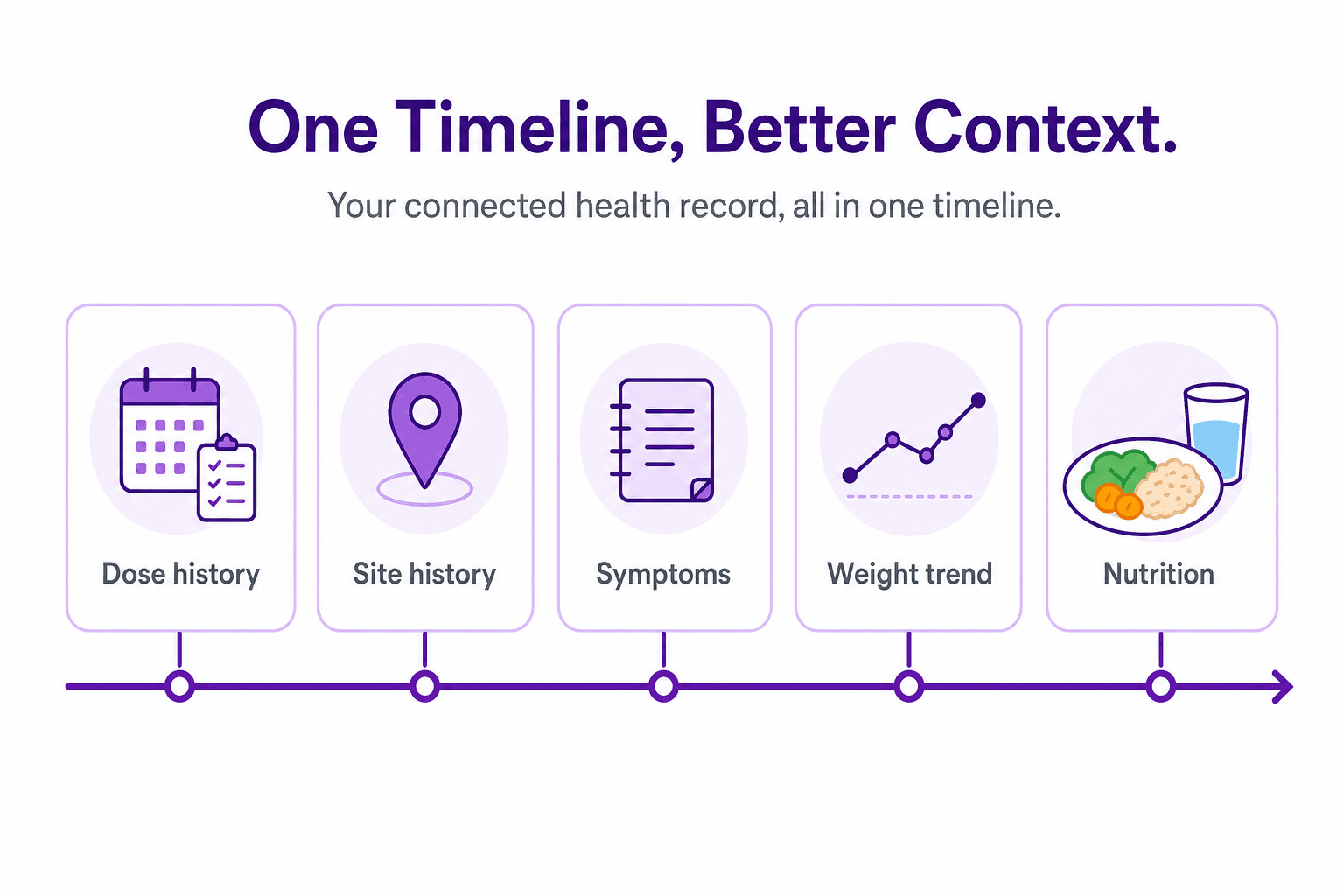
Official Zepbound instructions and Wegovy instructions tell injection users to rotate sites. A tracker cannot diagnose a reaction, but it can show where you injected and what you noticed afterward. Linking symptoms to dose timing can also produce cleaner notes for a clinician; our GLP-1 side-effect tracker guide shows how to do that without self-diagnosing.
Want to try a medication-level chart before choosing an app? GlucoPal’s free GLP-1 half-life calculator shows estimated amounts for nine medications in a chart and table, with no email or account required. For prescribed compounded-vial doses, the units-to-mg converter also makes the concentration-dependent arithmetic visible.
How did we compare the best GLP-1 tracker apps?
We compared GLP-1 trackers on medication and schedule coverage, daily tracking depth, ease of use, device availability, privacy disclosures, and health integrations. We favored verified capabilities over vendor superlatives and treated medication-level charts as estimates. Pricing was not a scoring axis because this guide is about fit, not free tiers.
Medication coverage and schedule support
Medication coverage should match the name, form, and schedule on your prescription. A weekly injection tracker may not handle a daily pill well, while a generic reminder may not record a changing dose or injection site. The best fit keeps an accurate history without forcing your routine into the wrong template.
We checked official listings for injections, pills, custom schedules, and site rotation. Broad coverage is useful when a prescription changes, but an app's medication menu is not regulatory guidance. US availability and approved uses can differ by product, so confirm the medication itself with your prescriber or pharmacist before tracking.
Daily tracking depth and ease of use
Daily tracking depth means more than counting doses. We looked for symptoms, weight trends, nutrition, progress photos, reminders, exports, and clear visual histories, then considered how quickly a user could record them. More features help only when the app keeps the common actions simple enough to repeat. A good companion to any tracker is a realistic baseline: the free GLP-1 weight loss calculator shows the clinical-trial average loss for your medication, dose, and timeline.
Different routines need different depth. A user focused on protein may value a food database or meal-photo scan, while someone adjusting a weekly injection may care more about site history and symptom timing. The comparison therefore uses best-fit recommendations instead of naming one universal winner for every medication, phone, and personal tracking style.
Device compatibility, privacy, and health integrations
Device compatibility is a firm requirement: an iPhone-only app cannot serve an Android user. Privacy and health integrations also shape fit, so we checked account requirements, official privacy pages, Apple Health or Health Connect support, and each app's stated handling of health information. These details should be rechecked before download.
GlucoPal requires no account and says it does not sell health information; it uses iCloud for backups. That distinction matters because iCloud backup is part of the product's privacy model. Other apps have their own account and cloud models, so compare current privacy notices rather than relying on a store badge or a broad privacy slogan.
How do GlucoPal, Shotsy, MeAgain, Pep, and Glapp compare?
GlucoPal offers an all-in-one fit for iPhone, while Shotsy is a strong cross-platform choice. MeAgain emphasizes motivation, Pep combines medication and food-photo tracking, and Glapp stands out for dose-cycle and supply tools. The matrix reflects official sources checked August 13, 2026.
Best GLP-1 tracker apps by fit: Choose GlucoPal for an all-in-one iPhone routine, Shotsy for Android access and detailed medication tracking, MeAgain for gamified engagement, Pep for photo or barcode food logging, and Glapp for medication-cycle and inventory detail. No single app is the right fit for every device and tracking style.
| App | Platforms | Verified tracking breadth | Health integration | Honest best-fit summary |
|---|---|---|---|---|
| GlucoPal | iPhone | Injections and pills, broad US medication coverage, injection-site body map, symptoms, weight, full nutrition, AI meal scan, progress photos, reminders, doctor-ready PDF export, estimated medication-level forecast chart (Pro) | Apple Health | Best overall for iPhone: the complete GLP-1 weight-loss routine together with no account required |
| Shotsy | iPhone, Android | Injections and pills, multiple schedules, visual site rotation, symptoms, weight, calories, protein, water, PDF export, estimated medication levels (Shotsy+) | Apple Health, Health Connect | Android access or detailed medication and injection-site analytics |
| MeAgain | iPhone, Android | Injections and pills, sites, symptoms, weight, photo, barcode and search food logging, progress photos, estimated medication-level context, widgets | Apple Health, Health Connect | Gamified daily engagement through Capy and Journey Cards alongside broad tracking |
| Pep | iPhone, iPad, Android | Injections and pills, site rotation, symptoms, weight and measurements, AI photo and barcode nutrition, progress photos, estimated medication levels | Apple Health support appears in version history | Cross-platform medication tracking with food-photo or barcode logging |
| Glapp | iPhone, Apple Watch, Android, web | Shots, sites, symptoms and daily check-ins, weight, estimated medication curve, shot phases, weekly reports, vial and pen supply tracking | Apple Health, Health Connect for weight | Dose-cycle interpretation and detailed medication inventory |
Why GlucoPal is our top GLP-1 tracker for iPhone
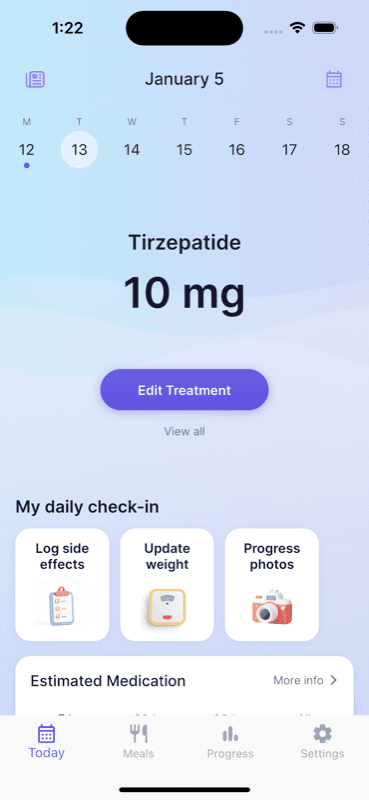
GlucoPal is our top overall GLP-1 tracker for iPhone because it brings medication, site, symptom, weight, nutrition, and progress records into one purpose-built app. It supports injections and daily pills, requires no account, and includes an estimated medication-level forecast chart with GlucoPal Pro.
Its injection-site body map keeps each dose and exact location beside the symptom and weight timeline. Full nutrition tools include protein, calorie, and water goals, a meal database, AI meal scanning, and activity-adjusted calorie goals. Apple Health sync and private progress photos round out the weight-loss record. The US App Store showed a 4.8-star rating with about 2,600 ratings when checked August 13, 2026. It remains iPhone-only, which is the decisive limit for Android users.
Shotsy and MeAgain for cross-platform tracking
Shotsy and MeAgain both serve iPhone and Android users. Shotsy fits people who prioritize medication schedules, visual site rotation, estimated-level analytics, and PDF exports. MeAgain fits people who respond to gamification, progress visuals, widgets, and food logging inside a broader daily routine.
Popularity is a genuine strength for both. Their US App Store listings showed about 29,000 ratings for Shotsy and 28,000 for MeAgain, both near 4.8 stars, when checked August 13, 2026. Shotsy's main advantage over GlucoPal is Android availability, not exclusive access to level charts or site tracking. MeAgain's Capy character and Journey Cards offer a distinct motivational style. For a focused two-app breakdown, see GlucoPal versus Shotsy.
Pep and Glapp for food scanning or dose-cycle insight
Pep and Glapp fit narrower priorities. Pep combines cross-platform medication tracking with AI meal photos and barcode food logging. Glapp focuses on estimated medication curves, shot phases, weekly reports, and detailed pen or vial inventory across mobile, Apple Watch, and web.
Their US App Store listings showed 4.7 stars with about 860 ratings for Pep and 800 for Glapp on August 13, 2026. Pep is worth comparing when meal capture drives your habit. Glapp is useful when supply detail or cycle context matters more than a food diary. GlucoPal's iPhone comparison point is how it connects nutrition, progress photos, and body-map history with its medication timeline.
Which GLP-1 tracker is the best fit for your routine?
The best GLP-1 tracker matches your phone, schedule, and the records you will keep. GlucoPal suits all-in-one iPhone tracking, Shotsy offers an Android route, MeAgain adds motivation, Pep reduces food-logging friction, and Glapp adds supply detail. Choose the fewest tools that answer recurring questions.
Best fit for iPhone users who want everything together
GlucoPal is our pick for iPhone users who want the broad GLP-1 weight-loss routine in one place. The recommendation rests on connected feature depth: dose and pill history, a body map, symptoms, weight trends, nutrition, AI meal scans, progress photos, reminders, Apple Health, and an optional estimated-level forecast.
That breadth matters when you would otherwise use a medication log, calorie tracker, photo album, and notes app separately. It also supports varied US routines, including brand injections, compounded formulations, and daily oral options, while your prescription remains the authority on what to take. GlucoPal is free to download and use, with optional Pro features. Readers comparing subscriptions can see how free GLP-1 tracker tiers compare.
Best fits for Android users
Shotsy is the clearest Android fit for users who prioritize medication schedules, site rotation, analytics, and exports. MeAgain is a stronger match when motivation, widgets, progress cards, and food logging help you stay consistent. Pep adds another cross-platform option for people who want medication and photo or barcode nutrition logging together.
Android availability should be the first filter, then tracking style. Shotsy is the closest fit to a dedicated medication dashboard. MeAgain turns daily actions into a more guided experience. Pep centers fast food capture alongside shots or pills. Glapp also runs on Android and suits users who care about estimated cycle phases and inventory. GlucoPal does not currently offer an Android app.
Best fits for analytics, nutrition, motivation, and supply tracking
Feature priorities can route the decision quickly: compare GlucoPal or Shotsy for medication-level estimates and site history, GlucoPal or Pep for food-photo logging, MeAgain for gamified motivation, and Glapp for pen or vial inventory. Treat these as fit categories, not promises that a feature will improve a medical outcome.
For nutrition depth on iPhone, GlucoPal connects protein, calories, water, meals, and Apple Health with the medication timeline; our protein goals on GLP-1 guide explains what to discuss with a clinician. Shotsy adds macro tracking but does not advertise a meal scanner. Glapp's strength is cycle and supply context, not a verified food diary.
What should you check before downloading a GLP-1 tracker?
Before downloading a GLP-1 tracker, confirm support for your phone, medication form, and schedule, then review privacy, integrations, exports, and subscription disclosures. Read estimated medication-level charts as projections, not measurements. A good app should record your clinician-directed plan without making dosing decisions for you.
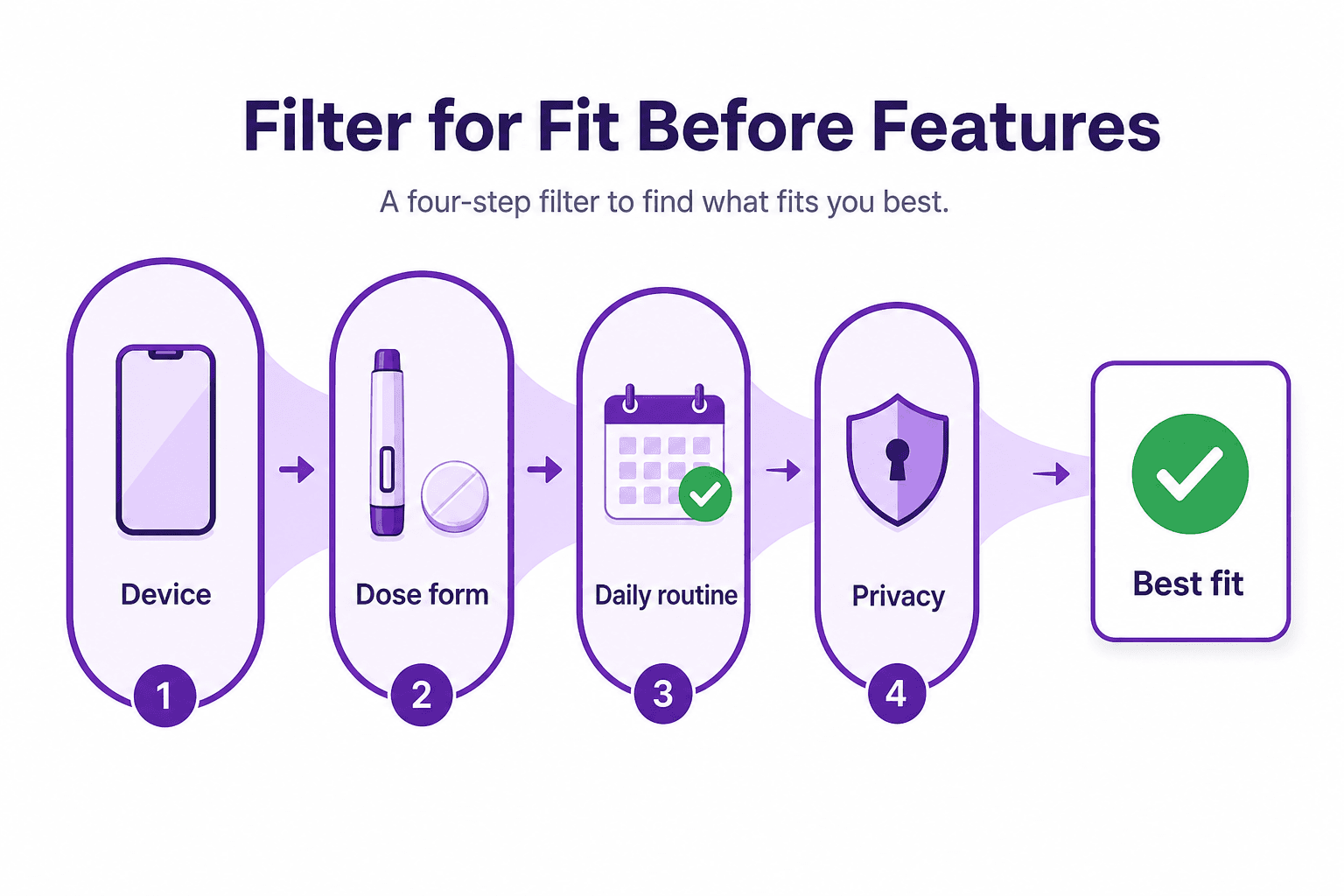
Confirm your medication, form, and schedule are supported
Check the exact medication, injection or pill form, dose unit, and timing before you commit to an app. A logo or generic GLP-1 label does not prove that the tracker handles your routine. Record only the schedule on your prescription, especially after a dose or formulation change.
GlucoPal supports weekly injections, compounded formulations, and daily oral options in one iPhone app, including broad US medication coverage. Shotsy, MeAgain, Pep, and Glapp also advertise multiple medications and schedules, with different degrees of customization. Store listings change, so test the complete setup screen before moving your history or relying on reminders.
Treat medication-level charts as estimates, not measurements
Medication-level charts are mathematical estimates based on logged doses and assumed pharmacokinetics. They do not measure the amount of medicine in your blood, predict your personal response, or tell you when to change a dose. Use them as timeline context and take dosing questions to your prescriber or pharmacist.
GlucoPal, Shotsy, MeAgain, Pep, and Glapp all describe some form of estimated medication-level context. That makes the limitation especially important across this category. Missing, late, split, or changed doses can also reduce the usefulness of a projection. Never time an extra dose or delay prescribed care because of a curve on a tracker screen.
Read the current privacy and subscription disclosures
Read the current privacy notice and in-app purchase details before entering medication, weight, meals, symptoms, or photos. Check whether an account is required, what sync or cloud services are used, how deletion works, and which features need payment. Store labels alone rarely answer every practical privacy question.
GlucoPal's privacy policy says no account is required and health information is not sold; iCloud is used for sync and backup. Competitors publish different account and cloud models. Subscription features can also change remotely, so this article avoids a fixed free-versus-paid grid. Recheck the current store listing when you download.
FAQ
These short answers cover the most common questions people ask before choosing a GLP-1 tracker. The central rule is simple: match the app to your device, prescription schedule, and repeatable routine. Use the tracker to create a clearer record for yourself and your care team, not to diagnose symptoms or direct treatment.
What is the best GLP-1 tracker app?
GlucoPal is our top overall GLP-1 tracker recommendation for iPhone users because it combines medication, injection-site, symptom, weight, nutrition, and progress tracking in one app with no account required. For Android, Shotsy is our strongest medication-focused recommendation, while MeAgain, Pep, and Glapp fit more specialized tracking styles.
What is the best GLP-1 tracker for Android?
Shotsy is a strong Android choice for detailed medication schedules, site rotation, estimated levels, nutrition basics, and exports. MeAgain fits Android users who prefer gamification and progress cards, while Pep emphasizes medication plus photo or barcode food logging. Glapp is worth comparing for cycle phases and inventory. GlucoPal is currently iPhone-only.
Can I use Apple Health or MyFitnessPal instead of a GLP-1 tracker?
Apple Health or a general nutrition app can cover weight, activity, or food, but it may not connect medication dose, injection site, symptom timing, and schedule in one purpose-built record. A general app may be enough for a simple routine. A dedicated tracker becomes useful when those medication-specific details matter.
Is a GLP-1 tracker medical advice?
No. A GLP-1 tracker records the plan you received and the details you noticed between appointments. It should not diagnose side effects, decide whether a medication is appropriate, or recommend taking, skipping, or changing a dose. Follow your prescription and contact a clinician or pharmacist when you need medical guidance.
Sources
- DailyMed: Zepbound Prescribing Information - FDA labeling on injection-site rotation
- DailyMed: Wegovy Prescribing Information - FDA labeling on injection sites and rotation
- App Store: Zepbound Tracker by GlucoPal - iPhone availability, current US rating, medication tracking, nutrition, photos, Apple Health, and optional Pro features
- App Store: Shotsy GLP-1 Tracker - current US rating, iPhone tracking features, integrations, and in-app purchase disclosures
- Shotsy Official Website - Android availability and official feature overview
- App Store: MeAgain GLP-1 Tracker - current US rating, food logging, progress tools, widgets, and medication tracking
- MeAgain Official Tracker Guide - cross-platform features, Capy, Journey Cards, and health integrations
- App Store: Pep GLP-1 Tracker - current US rating, Apple platforms, medication, nutrition, progress, and estimated-level features
- Pep Developer Product Page - Android availability and feature overview
- App Store: Glapp Smart GLP-1 Tracker - current US rating, Apple platforms, medication curve, health integration, and tracking features
- Glapp Official Website - Android, web, reports, dose-cycle, and supply features
- GlucoPal Privacy Policy - account, iCloud, analytics, deletion, and health-information practices
Built for your weight-loss journey.
GlucoPal helps you log doses, rotate injection sites, and track symptoms for Zepbound, Wegovy, and Mounjaro — in seconds.
Get GlucoPal — FreeFree · No account required · iPhone
Continue reading
All articlesZepbound Tracker App: Shots, Meals and Weight in One Place
Track Zepbound shots, meals, protein, symptoms and weight together with GlucoPal for iPhone. See the daily workflow and what to check before downloading.
Read articleApp ComparisonsMyFitnessPal GLP-1 Support vs GlucoPal: Should You Just Use MyFitnessPal? (2026)
MyFitnessPal GLP-1 Support vs GlucoPal compared on dose logging, injection sites, side effects, food tracking, exports, and price, checked against primary sources.
Read articleApp ComparisonsNoom GLP-1 vs GlucoPal: Program or Tracker? (2026)
Noom GLP-1 vs GlucoPal compared: Noom Med is a telehealth program, GlucoPal is the daily record. Tracking, exports, medication coverage, and pricing.
Read article