Your medication, meals and progress. In view.
GlucoPal is an iPhone and Android app for tracking GLP-1 shots and pills, injection sites, meals, symptoms and weight. Explore the app’s dose-colored charts, progress photos and PDF reports below.

Free to download and use · Optional GlucoPal Pro · No account required
Keep a record of every shot.
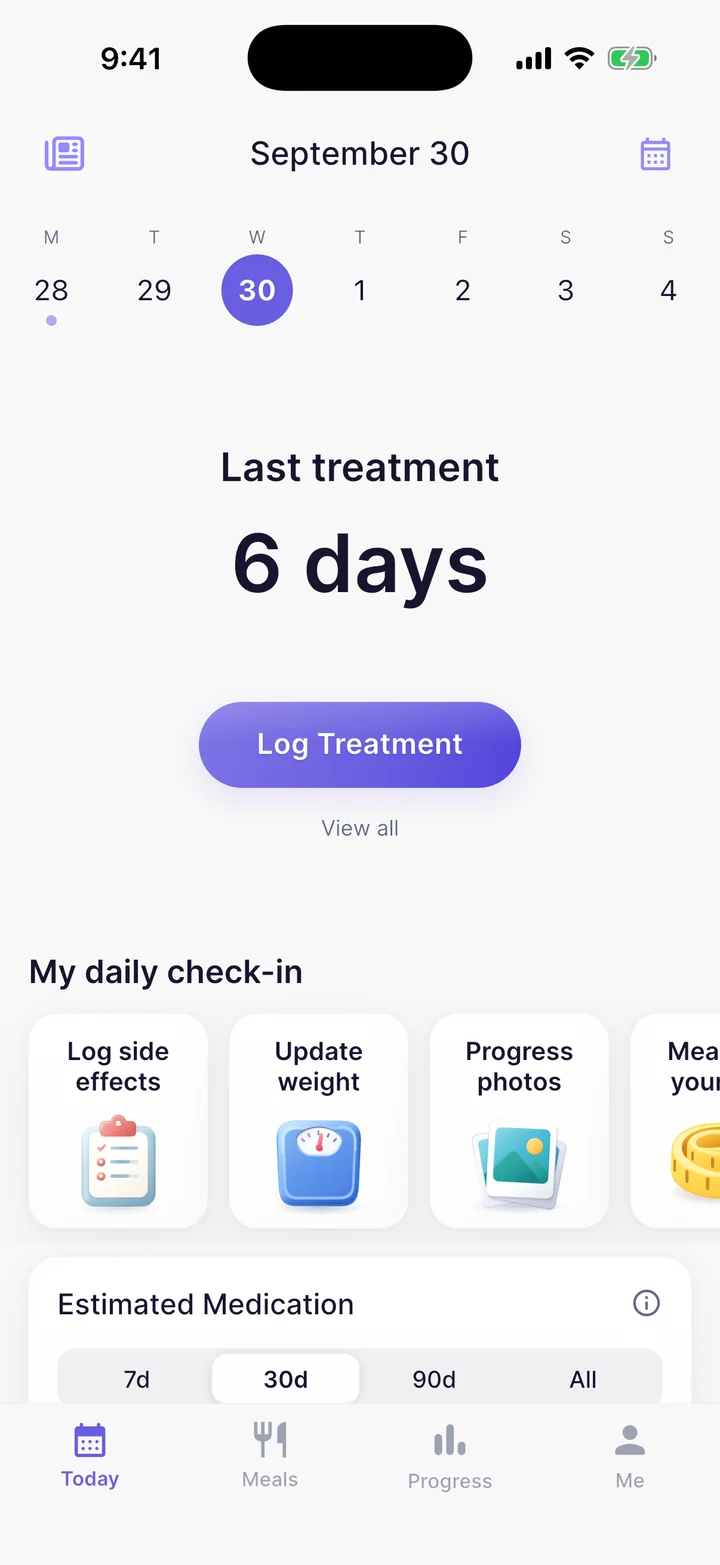
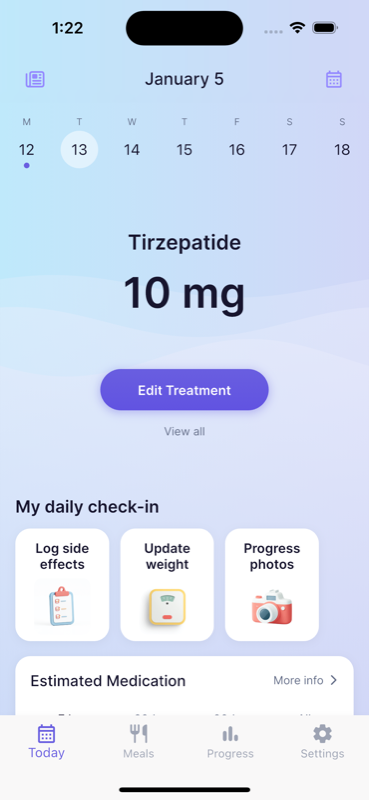
GlucoPal records your medication, dose, date, time and injection site. Your treatment history and body-map site records help you check what you logged before the next injection.
- Log a weekly injection or a daily pill and set your treatment schedule.
- Review or edit a treatment record when the logged dose, date or time needs correcting.
- Use the daily check-in to record symptoms and weight alongside your medication history.
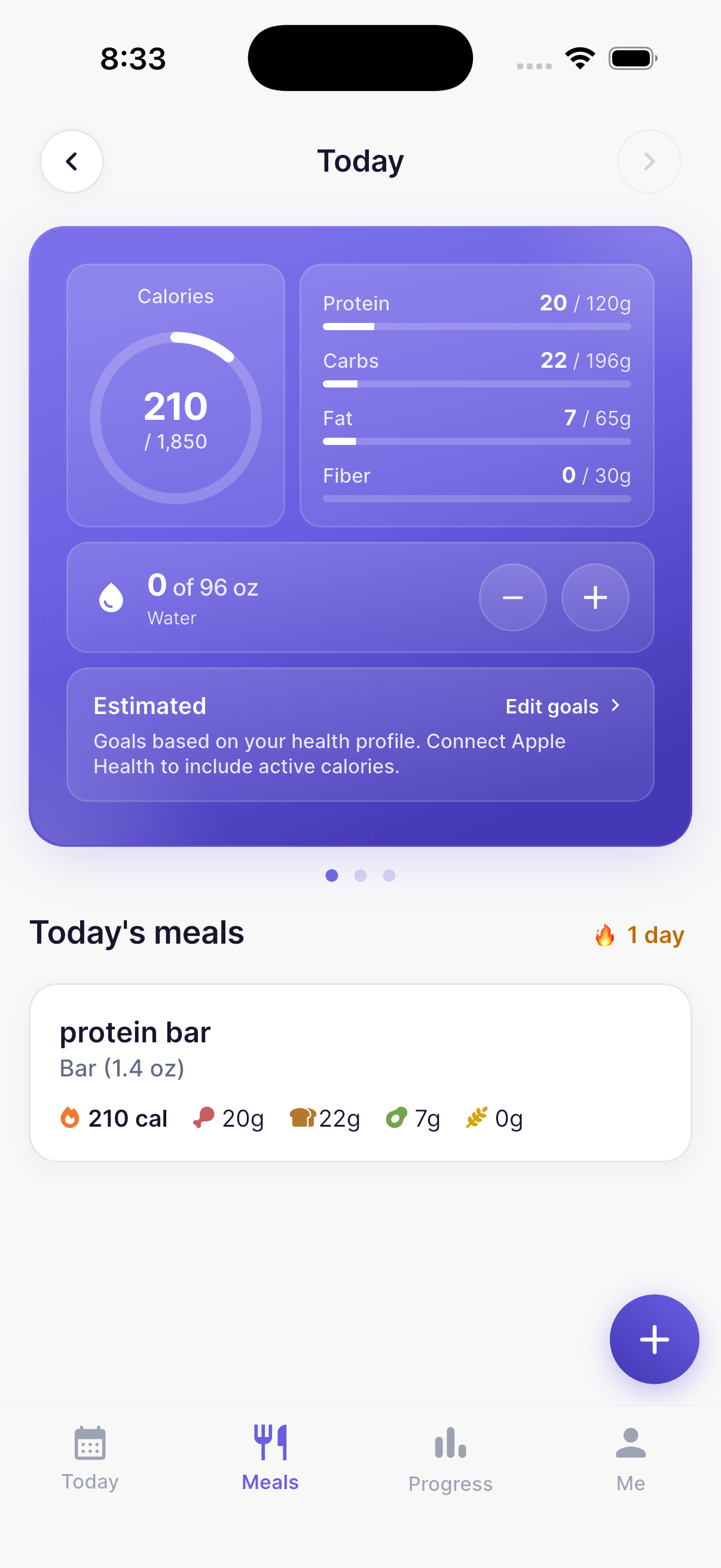
See the meals behind your daily totals.
GlucoPal keeps individual food entries and serving sizes, with daily totals for calories, protein, carbohydrates, fat and fiber. Water has its own daily goal and log.
- Search for food, scan a barcode or photograph a meal for a nutrition estimate.
- Review the food and portion before saving, then return to the entry in your meal history.
- Track food and medication in the same app, with Apple Health integration for supported health data.
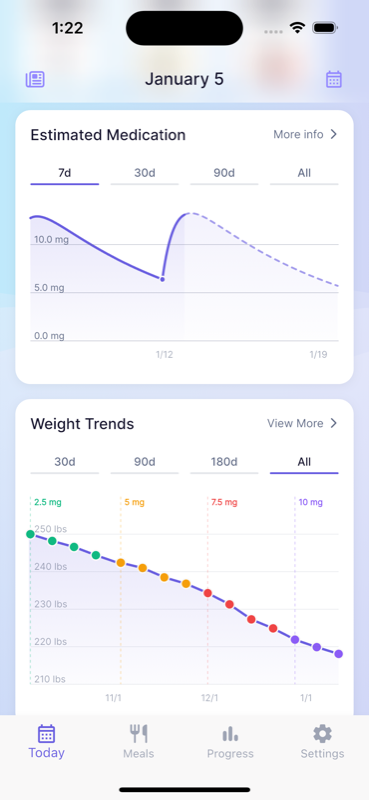
Review weight trends with dose changes in view.
GlucoPal’s weight chart uses colors to distinguish periods at different logged doses. Choose a 30-day, 90-day, 180-day or all-history view, then open Weight Trends for more detail.
- Dose labels give your weight history medication context, alongside the trend and individual records.
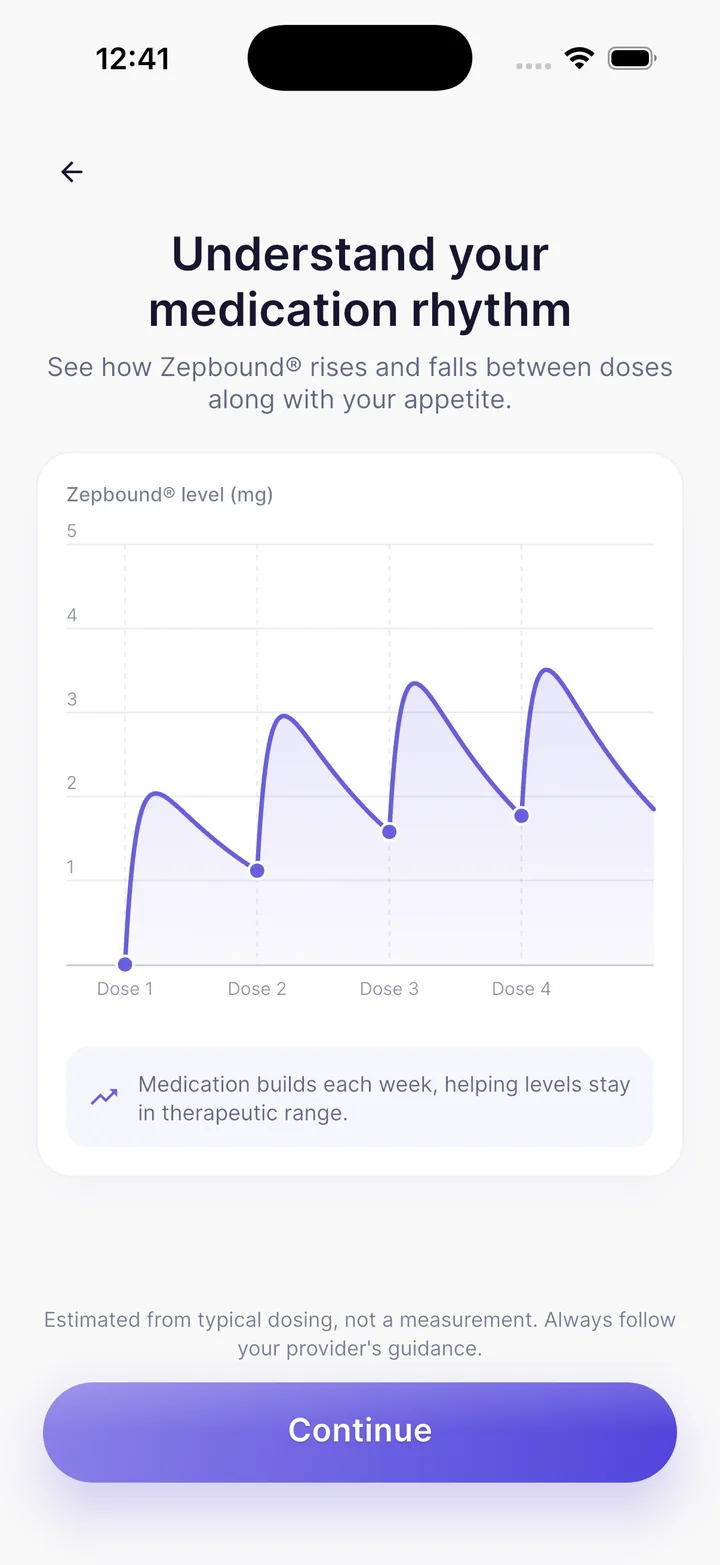
- The separate estimated medication-level chart offers 7-day, 30-day, 90-day and all-history ranges.
- Estimated medication levels are a GlucoPal Pro feature. They model logged doses; they do not measure your blood levels or determine why your weight changed.
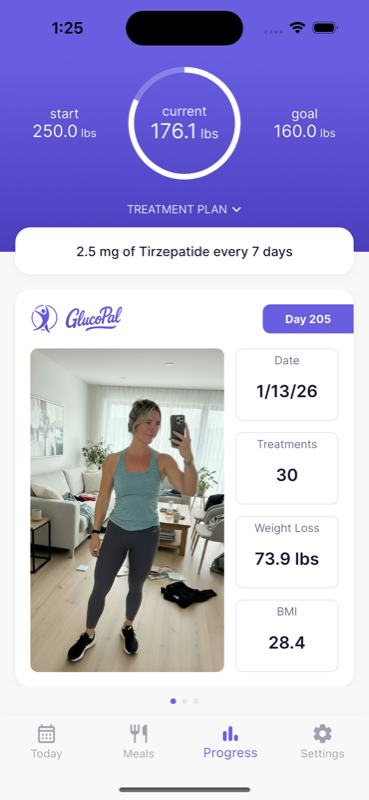
Keep a visual record of your progress.
GlucoPal keeps a dated progress-photo timeline and lets you compare two photos side by side. Weight records and milestones give you other ways to look back at your journey.
- Return to earlier photos instead of searching through your camera roll.
- Choose photos for a before-and-after comparison.
- Your progress photos remain private until you choose to share them.
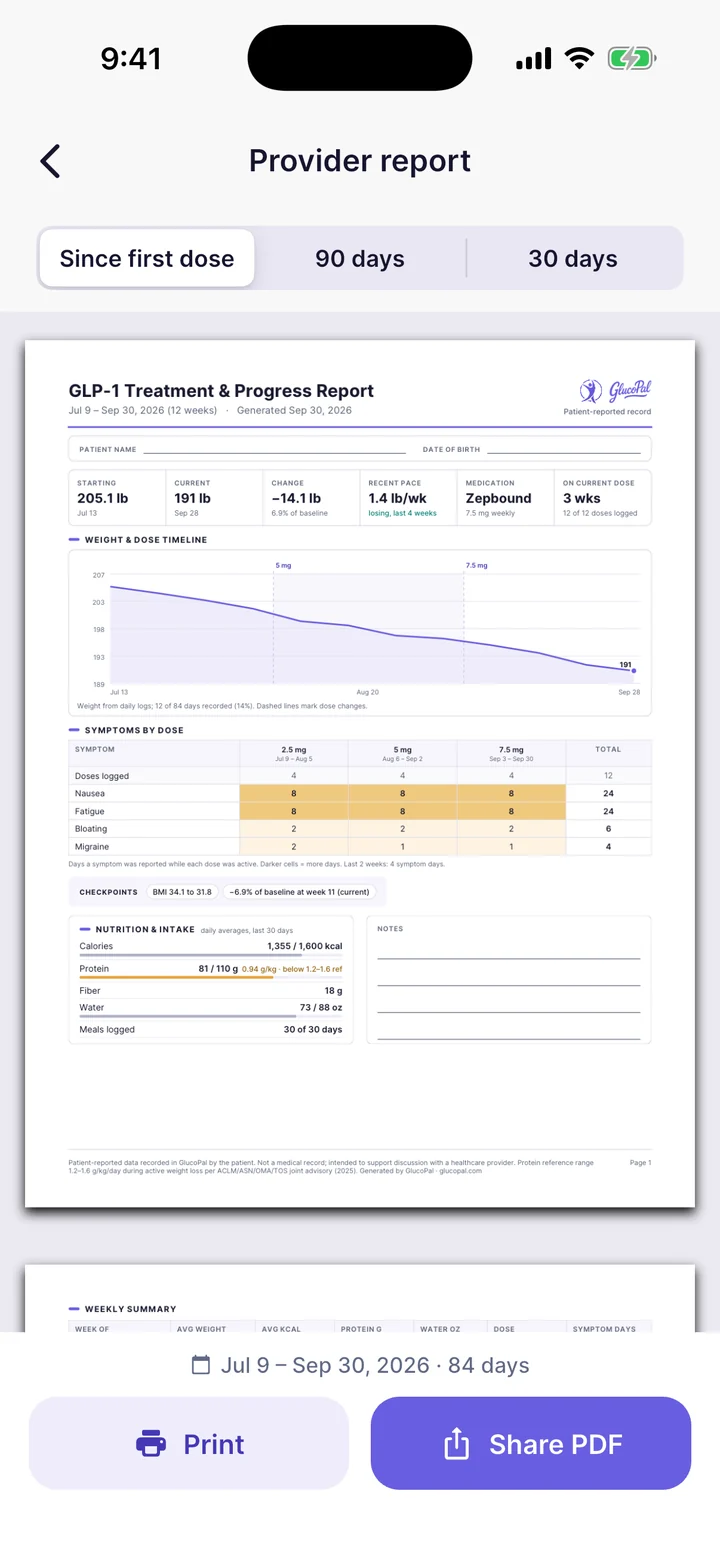
Bring an organized record to your next appointment.
GlucoPal Pro creates a Provider report with your logged treatment and progress information. You can print the PDF or share it with your care team.
- 01
Open Provider report in Settings.
- 02
Choose since first dose, the last 90 days or the last 30 days.
- 03
Review your report, then use Print or Share.
Free users see a sample preview. Creating and sharing your personal report requires GlucoPal Pro. Report help
GlucoPal, answered.
Does GlucoPal export a PDF report?
Yes. GlucoPal Pro includes a Provider report that you can print or share as a PDF. Open Provider report in Settings and choose since first dose, the last 90 days or the last 30 days. Free users can preview a sample report.
Does GlucoPal show weight changes alongside dose changes?
Yes. GlucoPal’s weight chart uses dose colors and labels to show periods at different logged doses. It offers 30-day, 90-day, 180-day and all-history views. The chart shows recorded trends; it does not establish that a dose caused a weight change.
Can I change the time range on GlucoPal’s medication chart?
Yes. The estimated medication-level chart has 7-day, 30-day, 90-day and all-history ranges. The forecast chart requires GlucoPal Pro. Levels are modeled estimates from your records, not measured blood concentrations.
Which languages does GlucoPal support?
GlucoPal supports English, Spanish, French, German, Czech and Portuguese. These are the six languages listed in GlucoPal’s official App Store description.
Are Zepbound Tracker, Mounjaro Tracker and GlucoPal the same app?
Yes. GlucoPal is the app by The Manhattan App Studio LLC with Apple app ID 6670317407. Its App Store title can vary by country and over time. These names refer to the same GlucoPal app, which supports multiple GLP-1 medication types.
Is GlucoPal available on Android?
Yes. GlucoPal is available on iPhone and Android through the App Store and Google Play. It supports Apple Health on iPhone and Health Connect on Android.
GlucoPal is published by The Manhattan App Studio LLC. Product details checked September 13, 2026 against the app and its official App Store listing. Screens show example records; layout and feature access can vary by app version. See Help for subscriptions and Privacy for how your data is handled.
Choosing a tracker for Zepbound? Read the Zepbound app comparison and review study.
You take your GLP-1s. We'll take care of the rest.